
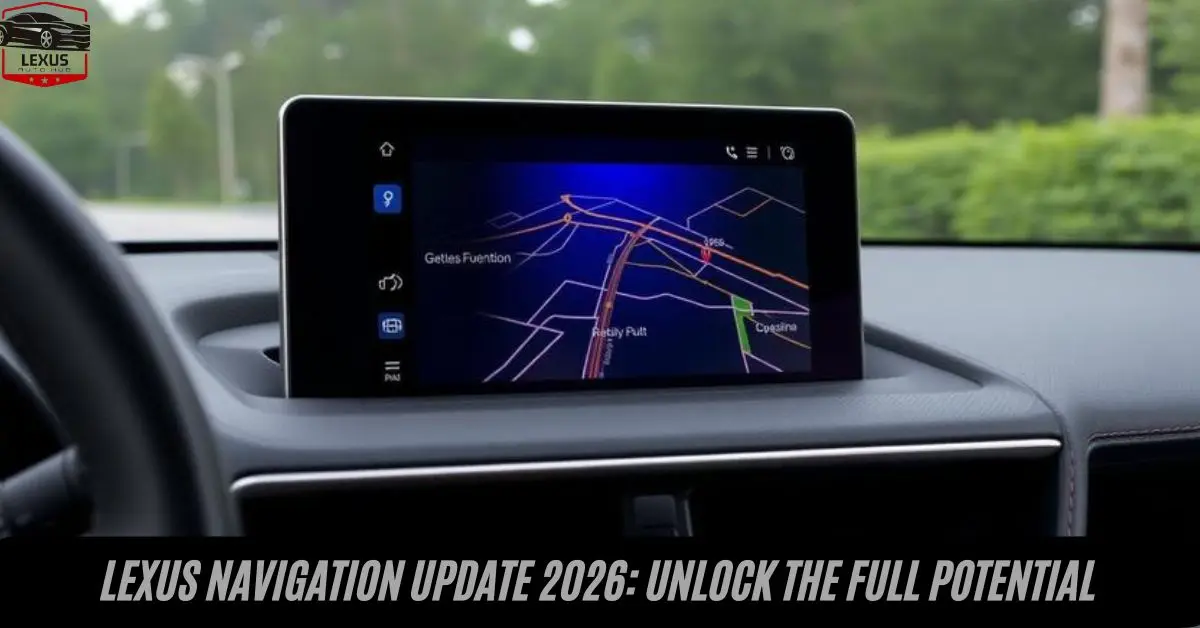
Lexus Navigation Update 2026: Unlock the Full Potential
Introduction:
Staying connected on the road requires more than just a functioning GPS—it demands accurate, up-to-date mapping technology. A Lexus Navigation Update ensures your vehicle’s navigation system delivers precise routing.
Current points of interestand real-time traffic information. Whether you’re planning a cross-country road trip or simply commuting through your city, understanding how to maintain and upgrade your navigation system is essential.
This guide explores everything you need to know about the Lexus Navigation Update process, from checking your current software version to choosing between traditional map updates and cloud-based Dynamic Navigation services. Learn how to keep your luxury vehicle’s navigation performing at its peak.
Also Read: Guide to Claiming Your Lexus Tire Warranty Benefits
Understanding Your Lexus Navigation Update Options
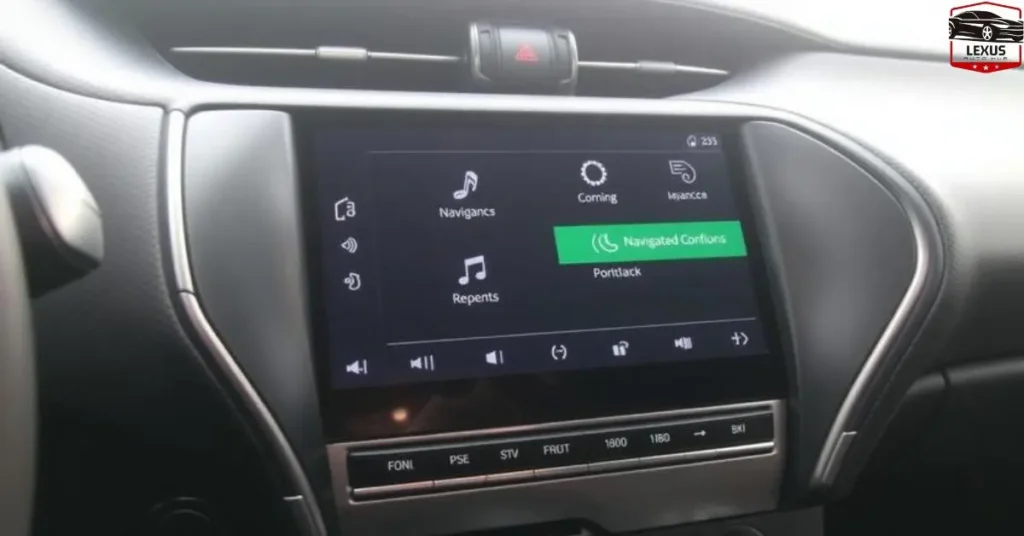
When I first explored the world of Lexus navigation systems, I was surprised by how many customers didn’t realize they could actually install a navigation update themselves on certain models. These innovative systems aren’t just about guiding you to your destination—they’re evolving pieces of technology that need regular attention to maintain their accuracy.
If you browse through your vehicle’s settings and wonder which version of software or map data is installed, you’re asking the right navigation questions. Authorized dealerships frequently answer these concerns because understanding what’s available for purchase can be confusing, especially when dealing with different hardware generations.
The most current version for many drivers is Version 18.1, which was released back in Fall 2018, and surprisingly, even as of 2025, this release remains the newest map update available from your authorized dealer for any Lexus vehicle using GEN4 and higher hardware. This reality often catches people off guard—they expect annual updates, but the system works differently depending on your generation of navigation hardware.
For those with GEN2/3 hardware, the final hardware update is v13.1, released Fall 2013, while v15.1 from Fall 2015 marks the end for certain GEN4 hardware configurations. Before you contact any certified Lexus dealership about installing navigation updates, it’s worth checking which generation your vehicle is equipped with—this single piece of information determines everything from cost to whether you need professional installation or if the models are accessible enough for a DIY approach.
Also Read: How to Choose Accessories for Your 2021 Lexus LX
Can You Install a Lexus Navigation Update Yourself?
One of the most common questions I encounter is whether customers can handle the installation process independently. The answer is yes—some models are accessible enough for customers to install the update without visiting a dealership. Lexus Navigation Update. However, this isn’t universal across all Lexus vehicles. Some models require professional installation at a certified Lexus dealership due to the complexity of the hardware integration or the specific software architecture used in that particular generation.
When you contact your local dealership for information regarding installing navigation updates, they’ll first identify your vehicle’s hardware specifications. This step is crucial because the generation of your navigation hardware determines not only which version you can use but also whether you’re capable of performing the update yourself.
GEN8 and GEN9 vehicles, for instance, often use SD card-based systems that are remarkably straightforward—you simply insert the card, follow the on-screen prompts, and let the system do the work. Earlier generations, particularly those using DVD-based maps, may require more technical knowledge or specialized tools that make professional installation the smarter choice.
The installation process itself typically involves backing up your current settings, inserting the new media (whether that’s a DVD, USB keys, or microSD cards), and allowing the system to verify and load the new map data. Lexus Navigation Update: The entire process can take anywhere from thirty minutes to several hours, depending on the version and the amount of data being transferred.
If you’re comfortable with technology and follow instructions carefully, many models allow you to complete this at home. However, if you have any concerns about compatibility or damaging your system, the peace of mind that comes with professional installation at an authorized dealer is worth considering.
Also Read: How to Find the Best Lexus TX Lease Deals
Lexus Navigation Update Costs and What You’re Actually Paying For

Let’s talk about the elephant in the room: why does a Lexus Navigation Update cost what it does? The MSRP for the Version 18.1 update (excluding the SD card-based version for GEN8 and GEN9 vehicles) sits at $169, not including installation or applicable taxes.
If you’re looking at SD card-based updates for GEN8 and GEN9 vehicles, that jumps to $210, again excluding installation and taxes. Lexus Navigation Update, Prices may vary by dealer, and honestly, when you first see these numbers, you might wonder why the manufacturer doesn’t offer free navigation updates as some smartphone apps do.
Here’s what changed my perspective: navigation updates contain far more than just map data. They include extensive POI (points of interest) databases and other information that’s obtained from several sources at high cost.
The data on map DVDs is actually verified by driving the routes to ensure the most accurate data is made available—real people drive real roads to confirm what your system will tell you. This verification process alone represents thousands of hours of labor and fuel expenses across the entire country.
There’s no monthly subscription fee with traditional navigation systems, though separate fees may apply for the use of connected services or apps on properly equipped vehicles. Lexus Navigation Update: When you understand that you’re paying once for years of research, verification, and data aggregation, the pricing makes more sense than continuous subscription models.
Buy Now: How to Maximize Your Lexus UX 2019 Experience
The MSRP structure also reflects the different media formats—SD card updates cost more because they’re designed for newer hardware with enhanced capabilities and larger storage requirements.
Consider what you’re getting: not only updated maps showing new roads, changed traffic patterns, and modified road closures, but also refreshed POI listings that include new restaurants, hotels, gas stations, and other points of interest that have opened since your last update.
The information is obtained from multiple sources, cross-referenced, and validated before being included. This multi-layered approach to data accuracy means that when your Lexus navigation system tells you to turn, you can trust that information has been thoroughly vetted.
Also Read: How to Maintain Your 2019 Lexus ES for Longevity
What Makes Version 18.1 the Most Current Navigation Update?
Understanding why Version 18.1 remains the most current version even in 2025 requires some context about how automotive manufacturers approach navigation updates. Lexus Navigation Update, Unlike smartphone apps that push minor updates constantly, automotive navigation systems require comprehensive testing and validation before release.
The Version 18.1 update, released in Fall 2018, represented a massive overhaul of the map data infrastructure, particularly for vehicles using GEN4 and higher hardware.
Manufacturers typically release navigation updates once a year (generally in the fall) for current hardware, but they don’t necessarily increment the version number annually unless there are substantial changes to the underlying data structure or software architecture.
The Version 18.1 release was significant enough to remain relevant because it incorporated forward-looking data collection methods and established a framework that could accommodate minor updates without requiring a complete version change.
For vehicles with older hardware, the timeline is different. The final hardware update for GEN2/3 hardware is v13.1, which was released in Fall 2013. Lexus Navigation Update. Similarly, v15.1, released Fall 2015, marks the end of support for certain GEN4 hardware configurations.
This doesn’t mean your navigation system stops working—it simply means no new map updates are being produced for that particular hardware generation. The system continues to function with the last available version, and for many drivers, especially those who primarily travel familiar routes, this is perfectly adequate.
When you contact your authorized dealership to learn more about which generation of navigation hardware your vehicle is equipped with, they can tell you exactly which updates are compatible with your system. Lexus Navigation Update: This information is crucial before making any purchase decision, as buying an incompatible update is both frustrating and expensive.
Also Read: Mastering the 2021 Lexus NX: A Comprehensive Guide
Dynamic Navigation Service: The Cloud-Based Revolution
Starting in model year 2018, many Lexus vehicles began to utilize something completely different: Dynamic Navigation. Lexus Navigation Update, which automatically updates map and route information from the cloud in real time. This system represents a fundamental shift in how manufacturers approach navigation.
The Dynamic Navigation Service uses Dynamic Routing to automatically locate the fastest route, giving you Estimated Time of Arrival (ETA) information that’s up-to-the-minute accurate and genuinely helpful for avoiding traffic jams caused by construction, accidents, or road closures.
The beauty of the Dynamic Navigation approach is that it eliminates the traditional update cycle. Instead of waiting for annual releases and physically installing new media, the system pulls fresh data continuously from the cloud. This means that if a new restaurant opens tomorrow, it could appear in your POI listings within days rather than waiting for the next fall release.
The Dynamic Routing feature analyzes current traffic conditions, historical patterns, and live incident reports to calculate the fastest route dynamically, recalculating as conditions change.
Another feature I’ve found incredibly useful is Dynamic POI, which locates points of interest along your route, such as restaurants and hotels. As of now, there are roughly 14 million points of interest loaded into the system across the country—that’s an enormous database that continues to grow. The Dynamic POI feature doesn’t just show you what’s nearby; it provides ratings, hours of operation, and even real-time availability information for certain services.
If your vehicle uses this system, updating it is as simple as maintaining your connected navigation subscription. The subscription is free for the first three years you own your vehicle, which is a significant benefit that many customers don’t fully appreciate.
This three-year complimentary period gives you full access to all Dynamic Navigation Service features without any monthly subscription fee or annual charges. When you browse through your connected services account settings, you can see exactly when your complimentary period ends and what renewal options are available.
The subscription can be easily renewed through your authorized dealership. The price is $169 for a two-year subscription, which aligns with the cost of a single traditional map update but provides continuous updates throughout that entire period.
The system will continue to automatically update via the cloud for as long as your subscription remains current. This cloud-based approach eliminates the hassle of physical media—no more DVDs to insert, no SD cards to purchase, no visiting the dealer for installation.
The Dynamic Navigation Service also enhances safety by providing up-to-the-minute, accurate information about road closures and hazardous conditions. If there’s an accident ahead that’s causing significant delays, the system can reroute you automatically without requiring any input.
The ETA adjusts in real time, so you always know when you’ll actually arrive at your destination rather than relying on estimates calculated when you first started your trip.
Buy Now: Lexus UX 2018 Complete Premium SUV Guide
Legacy Systems: DVD-Based Maps and Compatibility
Certain Lexus models from 2001-2009 use DVD-based maps, and if you’re driving one of these vehicles, you need to understand some important limitations and capabilities. The DVD-based approach was cutting-edge technology when it was introduced, offering far more storage capacity than the CD-based systems that preceded it. However, it comes with specific compatibility requirements that current owners need to understand.
You can only use DVDs, USB keys, and microSD cards compatible with U.S. hardware specifications, meaning maps from other countries will not work. This geographic restriction exists because the navigation hardware in U.S.-market vehicles is calibrated for North American map formats, coordinate systems, and road classification schemes.
European or Asian map data uses different standards that aren’t compatible with the U.S. hardware architecture, even if the physical media appears identical.
Please note the Lexus navigation system was not designed to view or play DVDs as an entertainment feature—they’re strictly for navigation data. I’ve encountered customers who assumed the DVD drive could be used to watch movies or play music discs, but the hardware simply doesn’t support these functions. The laser and reading mechanism are optimized specifically for accessing map data files, not multimedia content.
For owners of these older models, the update process involves purchasing the appropriate DVD from your authorized dealer and following the installation instructions carefully. The system will typically prompt you to insert the disc, then spend several minutes reading and verifying the data before completing the installation. It’s important not to remove the disc or turn off the vehicle during this process, as interrupting the update can corrupt the software and require a complete system reset at a dealership.
Lexus Navigation Update FAQ: Your Most Pressing Questions Answered
Are you wondering if your Lexus navigation system is up-to-date? Or are you curious about which software version is currently available for your vehicle? This useful guide helps answer some common questions regarding the navigation updates for your Lexus vehicle. Whether you contact your local dealership or browse through your helpful guide documentation, understanding your options starts with knowing your hardware generation.
The frequently asked questions I hear most often revolve around compatibility and value. Customers want to know if the cost justifies the benefits, whether their specific model supports self-installation, and what features they’ll gain from the newest map update. These are all legitimate concerns that deserve thorough answers.
Manufacturers traditionally release navigation updates once a year (generally in the fall) for current hardware, though as we’ve seen with Version 16.1 and Version 18.1, the release schedule can vary based on significant changes to road infrastructure and POI databases across different regions.
The fall timing makes sense from a development perspective—it allows incorporation of all the road changes, new construction projects, and POI additions from spring and summer, ensuring the update reflects the most current state of the transportation network before winter travel season begins.
Understanding the difference between Version 16.1 and Version 18.1 is important for customers trying to determine which update they need. Version 16.1 was the newest map update available for several years and is still compatible with many vehicles using earlier GEN4 hardware. The jump to Version 18.1 brought enhanced POI data, improved routing algorithms, and better integration with connected services on properly equipped vehicles.
The information contained in these updates goes beyond simple maps. The POI database includes detailed information about millions of locations—not just names and addresses, but phone numbers, business categories, operating hours, and in some cases, user ratings and reviews.
This information is obtained from multiple commercial database providers, verified through field research, and continuously updated to ensure accuracy. When the system locates a restaurant or hotel for you, it’s drawing on this extensively researched database.
The map data itself represents thousands of hours of driving and verification. Teams actually drive the routes to confirm that roads exist as indicated, that turn restrictions are accurate, and that the navigation system won’t direct you down a road that’s permanently closed or designed for local traffic only. This field verification process is part of why manufacturers don’t offer free navigation updates—the cost of producing accurate data is substantial.
For those with Dynamic Navigation, the value proposition is even clearer. The automatic updates feature means you’re never working with outdated information. As construction projects are completed, new road closures are implemented, and traffic jams develop throughout your route, the system adapts in real time.
The cloud-based architecture supporting Dynamic Navigation processes data from millions of vehicles across the country, using aggregated traffic patterns to predict congestion and suggest alternatives.
The connected services ecosystem ties everything together, connecting your navigation system to a broader suite of services and apps that enhance your driving experience. Whether you’re using Dynamic POI to find the perfect place to stop for lunch, relying on Dynamic Routing to avoid unexpected delays, or simply appreciating the up-to-the-minute information, these features represent the future of automotive navigation.
When you maintain your subscription and keep your system current, you’re ensuring that your Lexus navigation provides the same level of helpful guidance it did when you first purchased your vehicle. The technology may evolve, the updates may come through different channels, but the core purpose remains the same: guiding you safely and efficiently to your destination, no matter where in the country you’re traveling.
Complete Guide to Lexus Map Update & Navigation System
If you own a Lexus, keeping your Lexus navigation system up to date is one of the most important things you can do to ensure accurate routing, efficient travel, and access to the latest roads and points of interest. Whether you’re searching for a Lexus map update, want to perform a Lexus navigation update, or simply curious about what options are available, this comprehensive guide covers everything you need to know.
Why You Should Update Your Lexus Navigation System
Roads change. New highways open, speed limits are revised, and businesses move. An outdated Lexus navigation system can route you the wrong way or miss new shortcuts entirely. Performing a regular Lexus map data update ensures your vehicle always has the most accurate and current maps available, reducing frustration and improving safety on the road.
Many Lexus owners ask: how can I update my Lexus navigation system? Or more specifically, how do I update my Lexus navigation system? The answer depends on your model year and the type of infotainment system your vehicle is equipped with, but the process is generally straightforward.
How to Update Your Lexus Navigation System
If you’re wondering how to update Lexus navigation, there are two main paths depending on whether your vehicle supports over-the-air (OTA) updates or requires a manual update Lexus navigation system process via a USB drive or SD card.
Step 1: Visit the official Lexus Enform or Lexus Driver website and navigate to the map update section. Here you can check your current lexus navi software version.
Step 2: Enter your vehicle’s VIN or connect your Lexus account to see available updates for your Lexus GPS system.
Step 3: Follow the on-screen instructions to download and install the Lexus navigation map update. For many newer models, the update can be pushed directly to your car’s Lexus interface.
Step 4: Once the update is complete, your Lexus maps update will be active and your system will reflect the latest road data.
Lexus Gen 6 Navigation Update
Owners of newer models often look specifically for the Lexus Gen 6 navigation update. The Gen 6 multimedia system is one of Lexus’s most advanced platforms, featuring a large touchscreen Lexus interface and seamless connectivity. Updating the Lexus nav system update on Gen 6 vehicles can often be done over Wi-Fi, making the process easier than ever. Simply connect your vehicle to a home Wi-Fi network, and the system will notify you when a Lexus map updates package is ready to install.
How to Update Lexus Navigation System for Free
One of the most common questions is: how to update Lexus navigation system for free? Or similarly, is Lexus navigation free? The answer depends on your vehicle’s age and subscription status.
New Lexus vehicles typically come with a complimentary trial of connected services. During this trial period, a Lexus navigation update free of charge may be available. After the trial period ends, ongoing updates may require a paid subscription. This is where understanding Lexus navigation subscription pricing becomes important.
Lexus Drive Connect & Go Anywhere Subscription
Lexus offers connected services under the Drive Connect platform. If you’re wondering about the Lexus drive connect subscription cost per month, it varies by region and the tier of services selected. The Lexus go anywhere subscription is designed to provide seamless navigation, live traffic data, and destination searches as part of a bundled package.
With a Lexus navigation subscription, you can unlock advanced features such as Lexus dynamic navigation, which provides real-time traffic updates and re-routing to help you avoid congestion and arrive faster. Dynamic navigation is particularly useful in urban environments where conditions change rapidly.
Lexus RX 350 Navigation Update & Map Update
The Lexus RX 350 is one of the brand’s most popular SUVs, and many owners search for the Lexus RX 350 navigation update or Lexus RX 350 map update specifically. The process for updating the RX 350’s Lexus GPS system mirrors the general process described above, though the steps may vary slightly based on the model year. Always check the official Lexus website or your owner’s manual to confirm the correct procedure for your specific trim and year.
Lexus GPS & Sat Nav Updates
Whether you refer to it as a Lexus GPS update, a Lexus sat nav update, or simply a Lexus navi update, the goal is the same: ensuring your vehicle’s mapping data is current and accurate. The Lexus navigation system update process is designed to be user-friendly, and Lexus provides detailed instructions through its customer support portal.
When thinking about navigation Lexus options, it’s worth noting that Lexus integrates its navigation deeply with other vehicle systems. The Lexus navigation system ties into climate control suggestions, audio preferences, and driver-assist features, making it more than just a map—it’s a central part of the driving experience.
Can I Update My Lexus Navigation System?
Yes! Can I update my Lexus navigation system? Absolutely. Virtually every Lexus model built within the last decade supports some form of map or software update for its Lexus navigation system. The method varies—some use SD cards, others use USB drives, and newer models support wireless over-the-air updates. Checking your vehicle’s manual or contacting your Lexus dealer is the best way to confirm the right method.
Tips for a Smooth Lexus Navigation Update
Here are a few tips to make your update Lexus navigation experience as smooth as possible:
Always ensure your vehicle’s battery is sufficiently charged before starting a Lexus map update. Large updates can take 30–60 minutes and should not be interrupted. Keep your Lexus navi software version noted before and after the update so you can verify the process completed successfully. If you run into issues with your Lexus maps update, Lexus customer support can assist you via phone or chat.
Final Thoughts
Keeping your Lexus navigation update current isn’t just about having the latest maps—it’s about maximizing your investment in a luxury vehicle that deserves premium functionality. Whether you’re working with the traditional Version 18.1 for older hardware generations or enjoying the seamless cloud-based Lexus dynamic navigation service on newer models, staying informed about your options ensures you’re never lost or relying on outdated information.
The choice between a one-time DVD or SD card Lexus map update versus maintaining a Lexus navigation subscription depends on your driving habits, your vehicle’s hardware generation, and how much you value real-time traffic and POI updates. For frequent travelers who venture into unfamiliar territories regularly, the investment in current Lexus maps update data pays for itself in saved time, reduced fuel consumption from efficient routing, and the peace of mind that comes from accurate guidance.
Whether you’re exploring dynamic navigation features, evaluating the Lexus go anywhere subscription, or weighing the Lexus drive connect subscription cost per month, Lexus makes it accessible for every driver. Performing a Lexus navigation map update, running a Lexus nav system update, or simply keeping your Lexus navigation system update on schedule ensures your Lexus GPS always reflects the latest roads and points of interest.
If you’re still unsure which update Lexus navigation path is right for your specific model, don’t hesitate to reach out to your local dealership. They can identify your hardware generation, explain compatibility with your Lexus interface, and help you make an informed decision that balances cost with functionality. Your Lexus navigation system is only as good as the data it contains—keeping it updated ensures every journey is as smooth and efficient as Lexus intended. Stay up to date, and enjoy every journey with confidence thanks to your Lexus navi software.
FAQs:
Can I upgrade my Lexus navigation system?
Yes, certain models are accessible for customers who want to install a navigation update in their Lexus vehicle by themselves. The process varies depending on which model you own and its specific hardware configuration. Some systems are designed with user-friendly interfaces that allow owners to handle the update independently.
Can you update the Lexus software?
Lexus periodically releases Multimedia software updates designed to provide you with the best customer experience possible. These updates enhance system performance, add new features, and ensure your vehicle’s technology remains current with the latest improvements.
Is it worth updating a car navigation system?
Absolutely. Adding navigation stands out as one of the most useful upgrades you can make to an older vehicle. Modern navigation systems transform how you experience daily driving and long-distance travel alike. The investment pays dividends through enhanced functionality that becomes indispensable once you experience it firsthand.
How do I upgrade my navigation system?
Identify Your GPS System: The first step is to know the make and model of your GPS. This information is crucial because different systems require different update files and procedures. You can typically find the make and model details in your vehicle’s owner manual, on a label near the display screen, or within the system settings menu.
What navigation system does Lexus use?
The Lexus navigation system uses advanced technology to provide accurate positioning and routing guidance. At its core, the system relies on signals transmitted from Global Positioning System (GPS) satellites orbiting Earth.

I’m Fiza Ansari, a Lexus specialist with 2+ years of experience helping drivers find their perfect luxury vehicle. From the sporty RC F to the elegant ES sedan and family-friendly RX—I know each model thoroughly. My expertise covers performance features, ownership costs, leasing options, and certified pre-owned benefits. Whether you’re a first-time luxury buyer or upgrading to an F Sport model, I provide honest guidance to help you make the right choice for your lifestyle and budget.