
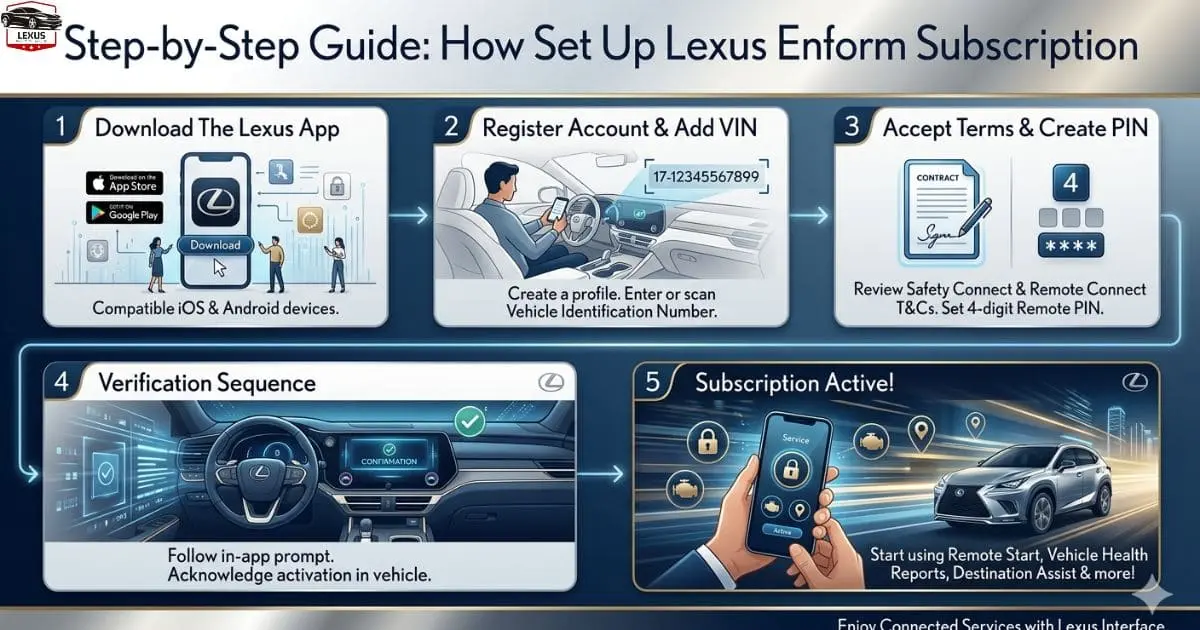
How Set Up Lexus Enform Subscription: Step by Step Guide
If you recently purchased or leased a Lexus, chances are you have heard about the connected services platform that comes bundled with it. Setting up your Lexus Enform Subscription is one of the first things you should do after driving your new vehicle off the lot.
It unlocks a wide range of features — from remote start and door lock controls to real-time navigation and emergency assistance — that make owning a Lexus genuinely more convenient and safer.
This guide walks you through the entire process, from creating your account to activating individual services, so you can get the most out of what your vehicle has to offer.
Also Read: How to Maximize Lexus Safety System 2.0 Benefits 2026
Short Answer About Lexus Enform Subscription
Lexus Enform is a subscription-based connected service designed to enhance the driving experience by integrating advanced technology with your Lexus vehicle. It allows users to access features such as remote start, vehicle tracking, maintenance alerts, and emergency assistance through a mobile app.
With both convenience and safety in mind, Lexus Enform offers services like remote locking and unlocking, roadside support, and real-time vehicle updates. Most new Lexus vehicles include a free trial period, after which a paid subscription is required to continue using premium features. Overall, it provides a smart and seamless way to stay connected with your vehicle at all times.
What Is the Lexus Enform Subscription?
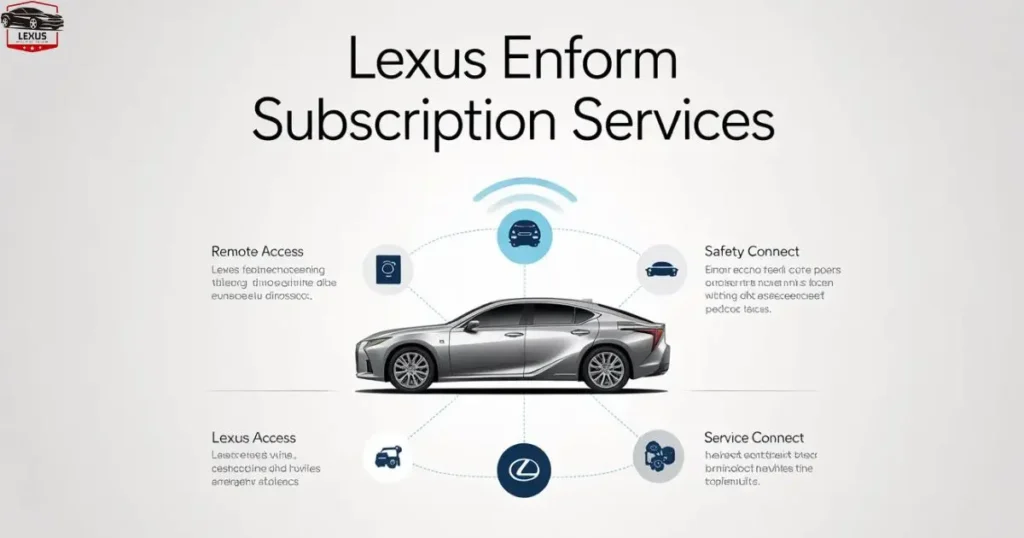
Before jumping into the setup steps, it helps to understand what you are actually signing up for. The Lexus Enform Subscription is a connected services platform developed by Lexus to keep drivers linked to their vehicles through a smartphone app and an in-car telematics system. It is essentially the digital backbone of your Lexus ownership experience.
The platform is divided into several service tiers. Some features come complimentary for a limited trial period — usually one to three years depending on your model year and purchase date. After the trial expires, you will need to pay a monthly or annual subscription fee to continue using premium features.
Here is a quick overview of what the platform typically includes. Safety Connect covers emergency SOS, automatic collision notification, stolen vehicle locator, and roadside assistance. Remote Connect gives you remote start and stop, door lock and unlock, and vehicle status checks via the Lexus app.
Destination Assist connects you to a live agent for navigation directions. Wi-Fi Connect provides an in-car hotspot powered by AT&T. Service Connect sends vehicle health reports and maintenance alerts directly to your phone.
Understanding which tier covers which features will help you choose the right Lexus Enform Subscription plan when your trial period ends.
Also Read: How to Get Best Lexus Electric SUV Price Near You 2026
What You Will Need Before Getting Started
Getting your Lexus Enform Subscription set up is a straightforward process, but you will want to gather a few things beforehand to avoid any unnecessary delays. You will need your Vehicle Identification Number, which is found on your dashboard near the windshield or on your registration documents.
You will also need a valid email address that you have regular access to, your smartphone for downloading the Lexus app, a stable internet connection, and your Lexus dealership paperwork, which may include a subscription activation code.
Having these ready will make the registration process smooth from start to finish.
Also Read: Lexus Hours Today 2026: How to Find Accurate
Step 1 — Visit the Lexus Enform Owner Portal

The first step in setting up your Lexus Enform Subscription is heading to the official Lexus Enform owner portal. Open a web browser and go to enform.lexus.com. This is the central hub where all account creation, vehicle enrollment, and subscription management takes place.
On the homepage, you will see an option to either sign in if you already have an account, or register as a new user. Since this is your first time, click on Create Account or Register Now.
Step 2 — Create Your Lexus Owner Account
Filling out the registration form is the foundation of your entire Lexus Enform Subscription experience. You will be asked to provide your first and last name, email address, a strong password, your phone number, and your preferred language and region.
Once you submit the form, Lexus will send a verification email to the address you provided. Open that email and click the confirmation link to activate your account. Do not skip this step — without email verification, you cannot proceed to vehicle enrollment.
Also Read: How to Compare Lexus Paint Colors Step by Step 2026
Step 3 — Add Your Vehicle to the Account
After verifying your email and logging into the portal, the next step in activating your Lexus Enform Subscription is linking your vehicle to your account. Click on Add a Vehicle or Enroll Vehicle, depending on the version of the portal you see.
You will be prompted to enter your 17-digit VIN. Double-check this carefully — even a single incorrect character will prevent the system from recognizing your vehicle. Once the VIN is accepted, the portal will automatically pull up your vehicle’s information, including the model, year, and color.
You can also give your vehicle a nickname at this stage, which is especially useful if you plan to manage multiple Lexus vehicles under the same account later.
Step 4 — Review Your Trial Subscription Details
Once your vehicle is linked, the system will display the Lexus Enform Subscription services that are currently active on a complimentary trial basis. This is where many new owners are pleasantly surprised — most new Lexus vehicles come with Safety Connect and Remote Connect already activated for a set period at no charge.
Take a few minutes to review exactly which services are included in your trial and note the expiration date. You will want to set a calendar reminder well before that date so you are not caught off guard when features stop working. The portal typically shows a clear breakdown of trial end dates for each service tier.
Also Read: How to Choose Perfect New Lexus Coupe Your Lifestyle 2026
Step 5 — Download the Lexus App on Your Smartphone
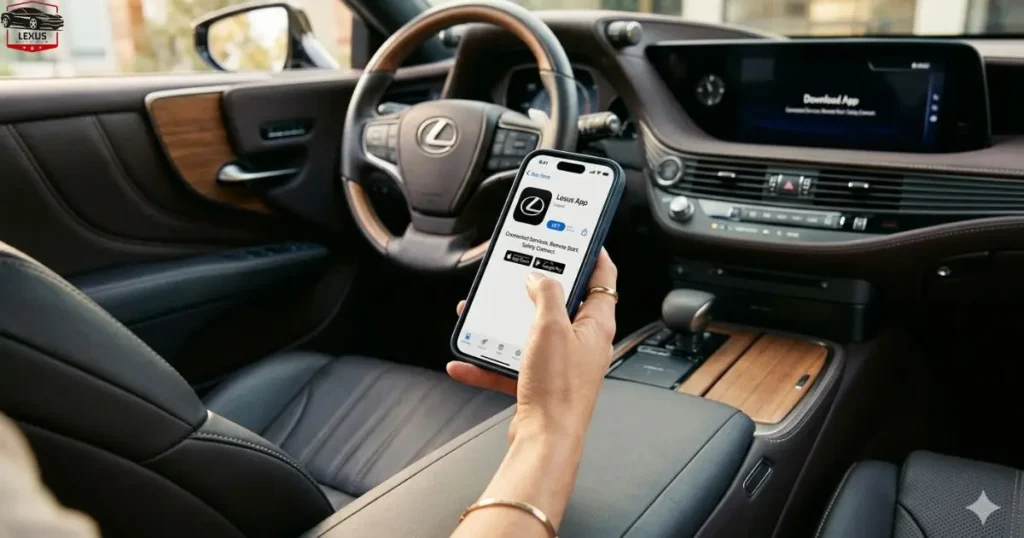
A large portion of your Lexus Enform Subscription experience happens through the Lexus smartphone app, not just the web portal. Head to the Apple App Store or Google Play Store and search for Lexus. Download and install the official Lexus app, then sign in using the same email and password you created in Step 2. The app will automatically detect the vehicle linked to your account.
Once you are logged in, grant the app the necessary permissions it requests — location access, push notifications, and background app refresh are all needed for features like remote start alerts and geofencing to work properly.
Also Read: How to Understand the Lexus LX Towing Capacity 2026
Step 6 — Test Your Remote Connect Features
With the app installed and your Lexus Enform Subscription active, it is a good idea to test the core features to confirm everything is working.
From the app’s home screen, you should see options for remote start, which starts the engine and sets climate control, lock and unlock controls for your doors, and a vehicle status screen that shows fuel level, odometer reading, and whether windows or doors are open.
Try locking your vehicle from inside your home. If the app confirms the command was sent and your car responds accordingly, your remote connection is functioning correctly. If nothing happens, give it 30 to 60 seconds — there can occasionally be a slight delay depending on cellular signal strength at your vehicle’s location.
Also Read: Lexus CPO for Sale Near Me: How to Get the Best
Step 7 — Set Up Safety Connect Preferences
Safety Connect is arguably the most important feature within your Lexus Enform Subscription, and it deserves its own setup attention. This service connects you to a 24/7 response center in the event of an accident, medical emergency, or vehicle theft.
From the owner portal or the app, navigate to Safety Connect Settings and confirm that your primary emergency contact information is up to date, your home address is correctly listed for faster dispatch response, and automatic collision notification is turned on, which sends an alert to the response center if your airbags deploy.
You should also familiarize yourself with the SOS button location inside your vehicle. In most Lexus models, it is located on the overhead console near the rearview mirror, marked clearly with a red SOS label.
Step 8 — Activate Wi-Fi Connect (Optional)
If your trim level supports in-car Wi-Fi and you want to set it up as part of your Lexus Enform Subscription, navigate to the Wi-Fi Connect section in the portal. This service uses AT&T’s network to create a mobile hotspot inside your vehicle.
You will need to set up a network name and password for the hotspot. Keep the password simple enough that passengers can connect without frustration, but secure enough to prevent unauthorized access. Note that Wi-Fi Connect is billed separately from other subscription tiers, so review the pricing before activating it.
Also Read: How to Choose Lexus LC 500 for Sale Houston Easily 2026
Step 9 — Enable Service Connect and Vehicle Alerts

Service Connect is one of those quietly useful parts of the Lexus Enform Subscription that many owners overlook during initial setup. It sends your vehicle’s health data — oil life percentage, tire pressure readings, and any active warning lights — directly to you and your preferred Lexus dealership.
To enable it, go to Service Connect in the portal, choose your preferred notification method such as email or push notification, and select your home dealership from the dropdown list. This is especially helpful when a maintenance reminder comes up, because your dealership receives the same data and can proactively reach out to schedule service.
Step 10 — Managing and Renewing Your Lexus Enform Subscription
After your trial period ends, managing your ongoing Lexus Enform Subscription is done entirely through the owner portal. Log in, click on Manage Subscription, and you will see options to renew individual service tiers or bundle multiple services for a discounted rate.
Lexus typically offers monthly and annual billing options. Annual plans almost always offer better value if you know you will be using the services consistently. Payment is handled securely through the portal using a credit or debit card.
If you ever sell your vehicle, you can remove it from your account and transfer the subscription or cancel it — all from the same dashboard.
Common Issues and How to Resolve Them
Even with a straightforward setup, a few common hiccups sometimes come up with the Lexus Enform Subscription. If the app is not connecting to the vehicle, this is usually a cellular signal issue at the car’s location, so try again in an open area with better reception.
If your VIN is not being recognized, double-check it for typos, and if the problem persists, contact Lexus Enform support at 1-800-255-3987. If trial services are not showing up, some newer vehicles need to be driven for a short period before the telematics unit registers with the network, and a short drive of 5 to 10 minutes usually resolves this.
If you have forgotten your password, use the Forgot Password link on the portal login page to reset it via your registered email.
My Final Thoughts:
Setting up your Lexus Enform Subscription takes no more than 20 to 30 minutes from start to finish, and the payoff is immediate. Whether it is the peace of mind from Safety Connect, the convenience of starting your car on a cold morning from your phone, or simply staying on top of your vehicle’s health through Service Connect — each feature adds genuine value to your daily life as a Lexus owner.
Take the time to explore the portal and the app fully after setup. There are often lesser-known features buried in the settings — like geofencing alerts and curfew notifications for vehicles used by younger drivers — that are worth discovering on your own schedule.
Your vehicle was built to be more than just transportation. The Lexus Enform Subscription is what connects you to it.
FAQs
What is Lexus Enform Subscription?
Lexus Enform is a connected services platform that provides features like remote start, vehicle health reports, navigation assistance, and emergency support through your Lexus vehicle and mobile app.
How do I activate my Lexus Enform subscription?
You can activate your Lexus Enform subscription by downloading the Lexus app, creating an account, adding your vehicle using the VIN, and selecting a subscription plan.
Is Lexus Enform free or paid?
Some Lexus Enform services come with a free trial period for new vehicles, but most features require a paid subscription after the trial ends.
Can I renew or cancel my Lexus Enform subscription anytime?
Yes, you can manage, renew, or cancel your Lexus Enform subscription anytime through the Lexus app or by contacting Lexus customer support.
What features are included in Lexus Enform?
Lexus Enform includes features such as remote access, vehicle tracking.

I’m M Ahmad Ansari, a Lexus enthusiast with 5+ years of hands-on experience across the entire lineup—from the RC F’s roaring V8 to the whisper-quiet RZ electric. I understand what separates Japanese luxury from the rest: obsessive engineering, unmatched reliability, and that refined driving feel you can’t find anywhere else. Whether it’s F Sport performance packages, hybrid technology, or choosing between new and certified models, I bring real-world knowledge and genuine passion for what makes Lexus exceptional.